
OpenSora 2 Prompt Guide: Prompts That Survive Real Generation
A practical OpenSora 2 prompt guide for text-to-video and image-to-video workflows, with reusable prompt patterns, failure diagnosis, and verified generator paths.
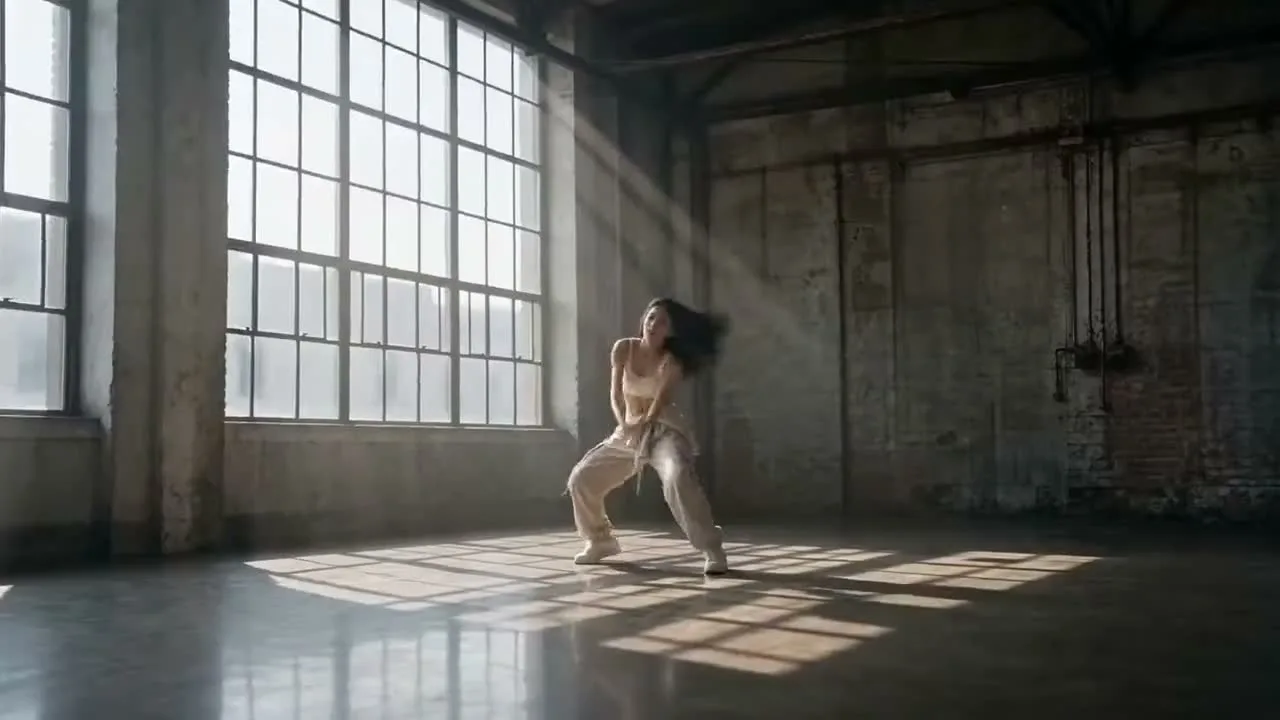
OpenSora 2 prompts work better when you treat them as production instructions, not mood-only ideas. Start on the OpenSora 2 homepage, choose Text to Video when you are exploring a scene, and switch to Image to Video when you already have a frame. Write one subject line, one motion line, one camera line, one lighting line, one environment line, and one constraint line before you generate.
Keep the scene narrow, keep the motion measurable, and decide whether you are solving for text-to-video ideation or image-to-video control. The OpenSora 2 generator redirects to the current text-to-video flow with the OpenSora Draft model selected.
What this guide means by OpenSora 2
This article uses the site's real, current product mapping rather than generic internet shorthand. In the repository, the OpenSora-labeled text-to-video options are exposed as three separate choices with different labels:
OpenSora DraftOpenSora 2 LiteOpenSora 2
Those options are wired to different provider models in code, while still sharing the same broad prompt discipline: write a clear scene, define motion, and avoid asking one short line to carry style, timing, framing, and object behavior all at once.
The practical implication is that the best prompt is not the longest prompt. The best prompt is the one that makes the next generation decision obvious. If the subject is wrong, you should know which line to fix. If the camera is wrong, you should know which line to fix. If the timing is wrong, you should know which line to fix.
The six-part prompt structure that holds up best
For most OpenSora 2 text-to-video tasks, use six parts in this order:
- Subject and action
- Environment
- Camera behavior
- Motion timing
- Lighting and texture
- Constraints and exclusions
That order matters because it mirrors how readers usually diagnose failure. People rarely say, "the latent space felt off." They say, "the subject changed," "the camera drifted," or "the background became chaos." A structured prompt gives you edit handles.
Subject:
A young woman in a loose white shirt practices a slow contemporary dance phrase.

Environment:
Sunlit industrial loft studio with tall windows, wooden floor, light dust in the air.

Camera:
Medium-wide shot, slow dolly in, eye-level framing, no sudden angle changes.

Motion timing:
She steps forward, turns once, lifts both arms, pauses, then leans into a final reach.

Lighting and texture:
Soft morning light, warm highlights, realistic skin texture, natural cloth movement.

Constraints:
No duplicate limbs, no background crowd, no hard cuts, no extra props, no text overlay.
If you only copy one pattern from this article, copy that one.
Start with a baseline prompt before you stylize
Most failed OpenSora 2 prompts are not "too simple." They are unstable because they mix too many variables before a baseline is proven. Start with one grounded version first.
Create a realistic cinematic video of a woman practicing contemporary dance in a sunlit loft studio. Medium-wide shot. Slow dolly in. She takes three steps, turns once, raises both arms, pauses, and finishes with a controlled side reach. Natural fabric movement, warm morning light, realistic skin tone, clean wooden floor, no text, no extra people.
Run that baseline once. Then decide which single dimension to push:
- stronger style
- tighter camera
- faster motion
- denser environment
- more dramatic lighting
Do not change all five at the same time. If you do, you lose diagnostic value.
Prompt formulas for text-to-video
When the job is idea generation, text-to-video is the right first stop. The most reliable formula is:
[subject doing one clear action] + [specific setting] + [camera instruction] + [timing cue] + [lighting cue] + [three exclusions]
Here are three practical prompt shells you can adapt.
Cinematic realism shell
A [subject] performs [single action] in [specific environment]. [Shot type], [camera movement], [framing]. The motion unfolds in [timing pattern]. [Lighting], [surface details], [atmosphere]. Avoid [artifact 1], [artifact 2], [artifact 3].
Product explainer shell
A clean studio product video of [object]. Start with [opening framing], then [movement beat 1], then [movement beat 2]. Neutral background, precise reflections, readable silhouette, premium lighting, stable geometry. No hands, no floating objects, no text overlay.
Social clip shell
Create a short vertical-style feeling video of [subject] in [setting]. The first second shows [hook], then [main action], then [ending beat]. Smooth handheld energy, bright contrast, believable motion blur, no sudden morphing, no duplicate faces.
These are not magic words. They are control templates.
When to switch from text-to-video to image-to-video
If your main complaint is composition drift, character inconsistency, or prop placement, stop rewriting text and move to Image to Video. Text prompts are good at describing intent. They are weaker when you need a very specific first frame.
Use image-to-video when:
- the opening frame matters more than prompt novelty
- you already have a usable still
- the subject identity must remain close
- background layout must stay recognizable
Use text-to-video when:
- you are exploring ideas quickly
- you do not have a starting frame
- you need multiple visual directions fast
- the scene concept matters more than exact composition
That split saves time. Many users keep rewriting a text prompt when the actual missing input is a controlled image.
Real site constraints worth designing around
This site's current OpenSora-labeled video options share a few practical characteristics in code:
- prompt length can be large enough for structured prompts, but that does not mean every extra sentence helps
- the default duration for the OpenSora-labeled video options is short, so every beat in the prompt must earn its place
- the default resolution is conservative, so composition clarity matters more than ornament
Those constraints push you toward compact, scene-first prompting. If you try to pack a ten-shot storyboard into one short generation, motion quality usually drops before creativity improves.
For that reason, write prompts as one scene with one motion arc. If you need a sequence, generate multiple shots and cut them later. This article is not claiming a platform-native editor solves that entire pipeline; it is recommending a safer generation strategy.
How to write prompts that survive timing pressure
Short generations punish vague verbs. Replace broad words like "moves beautifully" with visible timing cues:
- steps forward twice
- turns once
- pauses for one beat
- looks left
- reaches toward camera
- cloth trails half a second behind movement
Compare the two versions below.
Weak:
A dancer moves gracefully in a studio with cinematic lighting.
Stronger:
A contemporary dancer takes two measured steps toward camera, turns once, pauses, then extends both arms into a final reach in a sunlit loft studio. Medium-wide shot, slow dolly in, warm morning light, realistic cloth motion, no extra people, no sudden camera shake.
The second version gives the model a readable movement spine.
How to revise a prompt without losing the good parts
The biggest quality jump usually comes from revision discipline, not from finding a brand-new prompt. After each generation, write down what stayed correct and what broke. Then keep the correct lines untouched for the next pass.
Use this three-column review:
- keep: the parts that already look right
- fix: the parts that visibly failed
- remove: any phrase that introduced chaos without adding value
For example, if the environment and lighting are strong but the camera drifts, do not rewrite the whole prompt. Keep the environment line, keep the lighting line, and tighten the camera line:
Revision note:
Keep the loft studio, warm morning light, and final reach.
Fix the camera to one slow dolly in with no orbiting.
Remove extra style words that suggest montage or dream logic.
This matters because stable prompting is cumulative. Once you find a believable subject and setting, protect them. Do not throw away working structure just because one later layer failed.
A practical workflow inside this site
Here is the workflow that fits the current owned routes without inventing unsupported parameters:
- Start in Text to Video.
- Paste a six-part baseline prompt.
- Generate one plain realism pass first.
- Change only one prompt block.
- If composition keeps drifting, move to Image to Video with a reference frame.
- If you need supporting stills, use Text to Image or Qwen Image 3 to design the frame before animating it.
This matters because the site currently exposes multiple creation modes, and each one solves a different failure class. Good prompting includes choosing the correct mode, not only choosing better adjectives.
Failure diagnosis: what to change when the result is wrong
The fastest way to improve OpenSora 2 prompts is to diagnose by failure type.
If the subject changes shape
Shorten the style language and strengthen the subject line. Put age, clothing silhouette, pose family, and action earlier.
If the camera feels random
Use one shot type and one movement. Remove words that imply editing, montage, or multiple lenses.
If the scene becomes cluttered
Narrow the environment to two or three visible anchors. Add exclusions.
If the motion feels weak
Replace abstract verbs with timed physical beats. "Energetic" is not a beat. "Turns once, then lunges forward" is a beat.
If realism collapses after a style push
Return to the baseline prompt and add only one stylistic modifier at a time.
If the opening frame is almost right but keeps drifting
Switch to image-to-video. That is usually a control problem, not a wording problem.
Prompt examples you can actually reuse
Below are four reusable prompts built for different jobs.
Dance performance prompt
Create a realistic cinematic dance video. A young woman in a loose white shirt and charcoal practice pants performs a slow contemporary phrase in a sunlit loft studio with tall windows and a wooden floor. Medium-wide shot, slow dolly in, eye-level framing. She steps forward twice, turns once, raises both arms, pauses, and finishes with a long side reach. Warm morning light, natural dust in the air, realistic skin and fabric texture, controlled pace. No extra dancers, no text, no sudden camera shake, no duplicate limbs.
Fashion motion prompt
Create a clean editorial fashion video of a model walking through a quiet concrete hallway. Full-body framing, slow tracking shot from the front, then a slight side drift near the end. The coat swings naturally with each step, the model looks past camera once, then stops at the final frame. Soft overhead light, premium fabric detail, restrained luxury mood. No crowd, no props, no fast cuts, no warped hands.
Product beauty prompt
Generate a premium product video of a matte black perfume bottle on a stone pedestal. Start with a close-up on the cap, then slow pull back to reveal the full bottle while soft mist moves behind it. Controlled reflections, dark neutral background, elegant rim light, stable geometry, realistic glass and metal surfaces. No hands, no labels changing shape, no floating fragments, no text overlay.
Environment-first concept prompt
Create a cinematic video of a narrow neon street after light rain at blue hour. Start with an empty frame, then a cyclist enters from the left, passes a glowing shop sign, and disappears into the distance. Slow forward camera movement, wet reflections, soft haze, believable wheel motion, restrained color palette. No crowd buildup, no chaotic signage, no abrupt weather shift.
Limits you should be honest about
No prompt guide can promise exact ranking, exact visual fidelity, or exact original prompt recovery from public examples. This guide also does not claim that one OpenSora-labeled option is always better than every other video model on the site. It is narrower than that.
What this guide does claim is:
- a structured prompt is easier to debug than a mood-only prompt
- short generations reward measurable beats
- image-to-video is often the right fix for composition drift
- this site's owned routes support that workflow today
Everything else should be tested on the actual task.
Where this article fits in your next workflow
If you are starting from scratch, return to the OpenSora 2 homepage, then open Text to Video and test one baseline prompt. If you already know the exact frame you want, use Image to Video. If you need a still first, build it in Text to Image or Qwen Image 3, then animate it.
That is a more reliable workflow than chasing a single giant prompt.
FAQ
What is the best OpenSora 2 prompt length?
Long enough to specify subject, setting, camera, motion, lighting, and constraints. Short enough that every line changes a visible part of the scene. A structured medium-length prompt is usually easier to debug than a dense paragraph of style words.
Should I use text-to-video or image-to-video first?
Use text-to-video for ideation and scene discovery. Use image-to-video when the opening frame, character consistency, or layout matters more than exploration.
Why does my result look generic even when the prompt is long?
Because length does not equal control. Generic results usually come from weak action beats, vague camera language, or too many style modifiers fighting the subject line.
How many actions should one prompt contain?
For short video generations, one motion arc is safer than a full sequence. Think in one scene with one beginning, one development beat, and one ending beat.
Can I force exact character consistency from text alone?
Not reliably. If identity and composition must stay close, use a reference frame and move to image-to-video rather than repeatedly expanding the text prompt.
What should I remove first when the result breaks?
Remove excess style terms first. Keep the subject, action, and camera lines. Once the baseline is stable, add style back in one controlled layer at a time.
If you are ready to test the method, go back to the OpenSora 2 homepage, open the OpenSora 2 generator, and continue into the text-to-video workspace. Start with the OpenSora Draft model, make one baseline generation, and change only one prompt block in the next pass.